1-866-SDRobot (866-737-6268)


Trekker and ATR/VR Downloads
This page contains all the SuperDroid Trekker, ATR and Vectoring Robot Downloads to date. When a Trekker Product or ATR/Vectoring Robot is purchased you will receive a link on your invoice that contains files listed below.Do you have any files you'd like to share? E-mail us. If you find any errors in our downloads or make any improvements we would appreciate the updates. We hope these downloads help in your development. Even if you have the basic Trekker, you should look at all the programs to see the many variations of the programs and copy and paste features to make your own personalized Trekker Program. Enjoy.
SuperDroid Trekker OOPic II Downloads
(All these downloads assume you are using the Trekker OOPic II Expansion Card with the OOPic II or II+. If not, I/O addresses, etc. will need to be adjusted.) If you are using the Trekker OOPic II Electronics Kit these programs will work too. Refer to the manual for positioning/numbering of the components.� These programs can be modified to with the OOPic-R too.
OOPic II and II Plus: Expansion Boards Version 1.x |
|
| File | Description |
| Trekker_1st_Program.osc | This program cycles the LEDs and Beeper |
| Trekker_2nd_Program.osc | This program cycles the LEDs and Beeper using the tuning pots to change the cycle time and beeper frequency. |
| Trekker_Basic.osc | This program drives the SuperDroid Trekker Basic package which has a single� IR sensor mounted to the front of the chassis. |
| Trekker_Basic_with_ bumper.osc | This program drives the SuperDroid Trekker Basic package which has a single� IR sensor and bumper switch mounted to the front of the chassis |
| Trekker_Inter.osc | This program drives the SuperDroid Trekker Intermediate which has a single front bumper switch, 1 sweeping Ultrasonic sensor mounted to a top scanner bracket, and an IR detector for the front bumper.� The potentiometers on the Expansion board are set up to tune the tracking and turning on the fly!� Code is also included for an optional 2 Line LCD. |
| Trekker_Full.osc | This program drives the SuperDroid Trekker Full package which has a single front bumper switch, 2 sweeping dual IR & Ultrasonic sensors mounted to a top scanner bracket, and a upgraded 4 Line LCD.� The potentiometers on the Expansion board are set up to tune the tracking and turning on the fly! |
| Trekker_Full_LCD2.osc | This program drives the SuperDroid Trekker Full package which has a single front bumper switch, 2 sweeping dual IR & Ultrasonic sensors mounted to a top scanner bracket, and a 2 Line LCD.� The potentiometers on the Expansion board are set up to tune the tracking and turning on the fly! |
|
Trekker_IR_Test_ Program.OCS |
This program reads the Sharp IR range finders and displays the values on the LCD and blinks the LEDs when certain values are met |
| Trekker_LCD2.osc | This program tests the 2 Lind LCD |
| Trekker_LCD4.osc | This program tests the 4 Lind LCD and displays the input voltage on boot up. |
|
Trekker_LCD2_A2D_ Program.OCS |
This program reads the Analogs and displays the digital conversion on the 2 Line LCD. |
|
Trekker_LCD4_A2D_ Program.OCS |
This program reads the Analogs and displays the digital conversion and the input voltage on the 4 Line LCD. |
| Trekker_Bumper_Test.osc | This program initializes the card then tests the bumper switches |
|
Trekker_Ultrasonic_Test_ Program.OCS |
This program reads the Ultrasonic range finders and displays the values on the LCD and blinks the LEDs when certain values are met. |
| Trekker_Servo_Center.osc | This program initializes the card then centers all the servos and holds them there using a 1.5ms pulse |
|
Trekker_Servo_Center_ and_Test.OCS |
This program initializes the card then centers all the servos and holds them there with a 1.5ms pulse. when sw1 is closed the servos go full forward. when sw2 is closed the servos go full reverse.� This program is great for modifying and testing your servos |
| Trekker_Servo_Cycle.OCS | This program initializes the card then cycles all 5 servos. |
OOPic II and II Plus: Expansion Boards Version 2.x |
|
| File | Description |
|
The files with *_J are Java syntax the other files are Basic syntax |
|
|
TrekkerV2_1st_Program_J.osc TrekkerV2_1st_Program.osc |
1st Program: This program cycles the LEDs and Beeper. |
|
TrekkerV2_2nd_Program_J.osc TrekkerV2_2nd_Program.osc |
2nd Program: This program cycles the LEDs and Beeper using the tuning pots to change the cycle time and beeper frequency. |
|
TrekkerV2_function_inputs_chk4_J.osc TrekkerV2_function_inputs_chk4.osc |
Sensor/Inputs Function Check:� This program tests all the Inputs of the Trekker. It uses SW1 to toggle between each Function check. It also uses the 4 Line LCD, which can be omitted. |
|
TrekkerV2_function_servo_chk4_J.osc TrekkerV2_function_servo_chk4.osc |
Servo/Outputs Function Check: This program tests all the servos of the Trekker. It also uses the 4 Line LCD, which can be omitted. |
| TrekkerV2_function_chk4.osc | Function Check: This Program tests the inputs and outputs of the Trekker and uses the 4 Line LCD, which can be omitted. The program has more objects than can be initialized so its kinda a pain remarking out stuff not being tested. The above function check programs are a little easier, just do inputs, then outputs/servos and the OOPic memory is not overloaded with too many objects. |
| TrekkerV2_LCD4_A2D_ Program.osc | Analog Check: This program reads the Analogs and displays the digital conversion and the input voltage on the 4 Line LCD. The same check is done doing one of the function check procedures. |
| TrekkerV2_Servo_Center_and_Test.osc | Servo Center: This program initializes the card then centers all the servos and holds them there with a 1.5ms pulse. when sw1 is closed the servos go full forward. when sw2 is closed the servos go full reverse. |
| TrekkerV2_ServoCenter_oservosp1.osc | Servo Center using oServoSP1: This program initializes the card then uses the OOPic oServoSP1 object to cycle the servo between -2 and +2 (slow reverse and slow forward) to allow you to center your servos. Using this centering program is recommended if you plan to use the oServoSP1 object for servos to get optimal performance. It has a slightly different center than 1.50ms. If you end up using oServo you can change the center via code using the oServo center property. If you use oServoSP1 you can change compensate using the center property too. |
| TrekkerV2_starter.osc | Starter Trekker: This program drives the SuperDroid Trekker Starter, which has no sensors, so it just cycles the servos by driving forward and reverse and turning for periods of time. |
| TrekkerV2_Inter_J.osc TrekkerV2_Inter.osc | Intermediate Trekker: This program drives the SuperDroid Trekker Intermediate, which has a single front bumper switch, 1 sweeping Ultrasonic sensor mounted to a top scanner bracket, and an IR detector on the front bumper. The potentiometers on the Expansion board are set up to tune the tracking and turning on the fly! Code is also included for an optional 4 Line LCD. |
| TrekkerV2_Max_LCD4.osc | Max Trekker: This program drives the SuperDroid Trekker Max, which has two bumper switches, 1 sweeping Ultrasonic sensor mounted to a front scanner bracket, two dual sweeping sensors mounted on the top bracket and a upgrade 4 Line LCD. The potentiometers on the Expansion board are set up to tune the tracking and turning on the fly! Code is also included for an optional 4 Line LCD. |
| TrekkerV2_linefollow.osc | Line Follower: This program uses 4 sensors to follow a black line on a white floor. It also uses and IR sensor to stop it if something gets in front of it. |
| TrekkerV2_LineFollow_oNav_J.osc | Line Follower: This program uses 3 or 4 sensors to follow a black line on a white floor. Its done using the oTracker and oNavigator objects and is a complete virtual circuit (ie no code looping). |
|
TrekkerV2_Ball_Catcher_J.osc TrekkerV2_Ball_Catcher.osc |
Ball Seeker: This program seeks a tennis ball and fetches it. It uses the combination of the IR on the front bumper and a top sweeping ultrasonic sensor to find the ball. |
|
TrekkerV2_Navigator.osc TrekkerV2_Navigator_J.osc |
Navigator: This program uses the compass and encoders and moves to a set heading and drives a set distance. |
|
TrekkerV2_fire_seek_J.osc TrekkerV2_fire_seek.osc |
Fire Seeker: This program locates a flame using a sweeping sensor and a flame detector and points the robot towards the flame. |
| TrekkerV2_fire_fight.osc | Fire Fighter: This program locates the flame then drives towards the flame, spins around while turning on the fan to put the flame out. This program is still rough, it was used to create the video and test the principle of the fire fighter. |
| TrekkerV2_sumo.osc | Sumo: This program uses 4 sensors to detect a black line on a white floor and an IR sensor to find the other robot. Once the robot is found the Trekker drives towards it and tries to push it out of the ring. |
|
TrekkerV2_sumo_blk_J.osc TrekkerV2_sumo_blk.osc |
Sumo: This program uses 4 sensors to detect a white line on a black floor and an IR sensor to find the other robot. Once the robot is found the Trekker drives towards it and tries to push it out of the ring. This code is written so then entire program is virtual circuits (ie, there is no program looping). |
|
TrekkerV2_Wall_Follower_J.osc TrekkerV2_Wall_Follower.osc |
Wall Follower: This program uses a sweeping ultrasonic sensor to follow a wall at a set distance. |
SuperDroid Trekker OOPic-R Downloads
(All these downloads assume you are using the Trekker OOPic-R Expansion Card with the OOPic-R. If not, I/O addresses, etc. will need to be adjusted.) If you are using the Trekker-R Electronics Kit these programs will work too. Refer to the manual for positioning/numbering of the components. These programs can be modified to use with the OOPic II and II+ too.
OOPic R: Expansion Boards Version 1.x |
|
| File | Description |
| Trekker-R_Beginner.osc | This program is used with the Beginner Trekker. By pushing the buttons on the OOPic-R the Robot will do various driving activities. |
| Trekker-R_fuction_chk2.osc | This program tests all the I/O of the Trekker. It uses SW7 to toggle between each Function check. It also uses the 2 Line LCD, which can be omitted. |
| Trekker-R_fuction_chk4.osc | This program tests all the I/O of the Trekker. It uses SW7 to toggle between each Function check. It also uses the 4 Line LCD, which can be omitted. |
| Trekker-R_Inter+.osc | This program drives the SuperDroid Trekker Intermediate which has a single front bumper switch, 1 sweeping Ultrasonic sensor and IR mounted to a top scanner bracket with a front bumper. The potentiometer on the Expansion board are set up to tune the tracking on the fly! Code is also included for an optional 2 Line LCD. |
| Trekker-R_Full.ocs | This program drives the SuperDroid Trekker-R Full package which has a single front bumper switch, 2 sweeping dual IR & Ultrasonic sensors mounted to a top scanner bracket, and a upgraded 2 Line LCD. The potentiometer on the Expansion board is set up to tune the tracking on the fly! |
The SuperDroid Manuals
The SuperDroid Trekker manual is a fully illustrated (more than 90 pictures) detailed manual in excess of 150 pages that describes the Trekker along with detailing the assembly, testing, and much more. The manual now include special projects like ball catching, fire seeking, line following, navigation with wheel encoders and a compass. The printed manual can be purchased, or you can download it yourself. The manual, along with the above programs, and much more are also included on the CD packaged with the Electronics Kits or Trekker Expansion Boards.The ATR and VR manual is a fully illustrated manual that goes through the basic assembly of the many ATR styles and the Vectoring Robots.
| The manuals are in PDF format. To download PDF viewer free, click here. | |
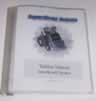 |
When you buy any Trekker product, you receive a link to download this manual along with the sample programs. To purchase the manual in hard copy follow this link. |
| The ATR and Vectoring Robot manual is in PDF format.� To download PDF viewer free, click here. | |
 |
When you buy any ATR or Vectoring Robot product, you receive a link to download this manual. |