| Description: |
�
| Click on images for larger views |
|
 � �
|
|
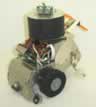
| Trekker Fire Fighter with an added IR sensor on the bumper |
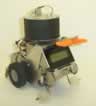
Rear view of Trekker Fire Fighter with upgraded 4-Line LCD |
�
Fire seeking and fighting are very popular.� Many competitions are held each year for all ages - the most popular is with Trinity College, in which OOPic controlled robots are becoming more and more prevalent.�� This Trekker finds the fire, then puts it out!� It's equipped with the Deluxe Trekker UVTRON Fire seeking kit to locate the fire, and a Trekker Fire Fighting Fan Kit to put the fire out.� Obviously, blowing air at a fire is not a good idea, but most contests use only a candle, and this fan puts a candle out easily.� Using a fan to extinguish the flame is common and doesn't involve a CO2 system.� �
�
This kit uses the Deluxe Trekker Fire seeking kit mounted and a sweeping ultrasonic sensor.� The robot seeks a fire and the UVTRON sensor will detect a flame in a bright room with sunlight and fluorescent light.� The Deluxe Trekker Fire seeking kit shown in the above pictures is to limit the field of view of the sensor so the Trekker can determine the heading in which the flame is detected.�� This Trekker kit is loaded with the 4 sensor encoder package (2 of the sensors are used for the encoders, the other 2 are used to look for white lines and surfaces, which are painted in the arena area for contests).� This Kit also includes a front bumper switch and 2 Line Trekker LCD, and batteries and charger for the Trekker and
the a separate battery pack for the fan.�� As with all Trekker Kits this one can be expanded later by adding additional sensors, which will all plug directly into the OOPic II Expansion Board.
�
Example code and the fire fighter and instructions are included on our Trekker download page.� A video of the Trekker seeking a fire and the Trekker putting a fire out are on our video page.
�
|
| Options (please select one): |
Note: This kit comes standard with an OOPic-II, which requires a custom program cable to program it.� If you do not have a program cable, then you should select the OOPic II Starter Package or OOPic II+ Starter Package option.
OOPic - II
OOPic - II Plus - Add $5.00
OOPic II Starter Package - Add $10.00
OOPic II Plus Starter Package - Add $15.00
|